Category: Game Development

Practical game development guides and transparent R&D field notes covering Unity, multiplayer networking, physics, input, rendering, audio and release engineering.

  • Choose a 2D Physics Engine with a Reproducible Project Benchmark

    Choose a 2D Physics Engine with a Reproducible Project Benchmark

    Reviewed: 13 September 2026 · Next review: 13 December 2026
    Author: Ozlin Info Editorial Team · Human review: Lin (accountable human); Codex assisted

    Reviewed: 29 August 2026 · Next review: 28 February 2027
    Author: Ozlin Info Editorial Team · Human review: Lin

    A 2D physics engine is a dependency with consequences for gameplay feel, determinism, tooling, platform support and maintenance. Feature lists and synthetic “objects per second” results do not identify the best option for a particular game. Build a small benchmark from the real project's shapes, joints, queries and target devices, then record the decision.

    This review considers three categories as of 29 August 2026: Box2D, Rapier 2D and the physics system integrated into the chosen game engine. It does not declare a performance winner because no common project benchmark has been run.

    Establish non-negotiable requirements

    Before installing candidates, define:

    • supported languages, engines and platforms;
    • required shapes, joints, sensors, casts and continuous collision;
    • world scale, maximum speed and expected active-body range;
    • fixed-step and rollback or replay requirements;
    • editor, debugging and asset-authoring workflow;
    • multithreading and WebAssembly needs;
    • acceptable binary, memory and build-system impact;
    • licence, notices and source-distribution obligations; and
    • who will maintain bindings and upgrades.

    Separate must-have behaviour from convenient tooling. A game with deterministic rollback, deformable terrain or thousands of sleeping bodies has different priorities from a small puzzle game already built in an editor.

    Compare current options without flattening them

    Option Current characteristics to verify Licence and integration questions
    Box2D Portable C17 library; rigid bodies, convex shapes, sensors, joints, ray and shape casts, continuous collision, multithreading and SIMD are documented on current main Upstream is MIT licensed; verify the exact release, notices, build flags and whether a third-party language binding has a different lifecycle or licence
    Rapier 2D Rust engine with 2D and 3D crates, collision queries, CCD and optional parallel or SIMD features; official JavaScript bindings also exist Upstream repository is Apache-2.0; verify crate features, bindings, notices and target support for the pinned release
    Engine-integrated physics Editor components, scene serialisation, engine lifecycle, profiler and platform build integration can reduce custom glue Covered by the engine's terms and release lifecycle; verify exposed features, upgrade path, source access, platform restrictions and whether lower-level controls are available

    Box2D's current repository describes a C17 data-oriented engine under the MIT licence, with continuous collision, convex shapes, sensors, casts, joints, multithreading and SIMD (Box2D — repository, Box2D — licence). These statements concern upstream main at the review date; a packaged engine integration may use a different version or patch set.

    Rapier provides Rust crates for 2D and 3D and publishes official guides on collision, CCD and determinism. Its upstream repository uses Apache License 2.0 (Rapier — repository, Rapier — licence). Check which feature flags are enabled. Rapier's determinism guide explains that enhanced cross-platform determinism trades away SIMD and parallel features, and parallel execution can be slower for small scenes (Rapier — Determinism).

    An integrated option can be the lowest-risk choice when it already meets requirements. Avoid replacing it solely because another library wins an unrelated benchmark. Conversely, editor convenience does not resolve a missing collision feature or rollback constraint.

    Pin every test variable

    Create one comparison repository and record:

    • commit or package version and dependency lock;
    • compiler, flags, target architecture and enabled features;
    • operating system, hardware, power and thermal conditions;
    • fixed step, substeps, solver iterations and sleep settings;
    • length, warm-up and repetition count;
    • scene seed and initial state;
    • measurement method and raw output; and
    • known differences that prevent exact equivalence.

    Do not compare one debug build with another release build. Do not use default solver settings without recording them. Render the same simple debug view separately from the timed simulation so graphics do not distort results.

    Build benchmark scenes from the game

    Reviewed: 29 August 2026 · Next review: 28 February 2027
    Author: Ozlin Info Editorial Team · Human review: Lin

    A 2D physics engine is a dependency with consequences for gameplay feel, determinism, tooling, platform support and maintenance. Feature lists and synthetic “objects per second” results do not identify the best option for a particular game. Build a small benchmark from the real project's shapes, joints, queries and target devices, then record the decision.

    This review considers three categories as of 29 August 2026: Box2D, Rapier 2D and the physics system integrated into the chosen game engine. It does not declare a performance winner because no common project benchmark has been run.

    Establish non-negotiable requirements

    Before installing candidates, define:

    • supported languages, engines and platforms;
    • required shapes, joints, sensors, casts and continuous collision;
    • world scale, maximum speed and expected active-body range;
    • fixed-step and rollback or replay requirements;
    • editor, debugging and asset-authoring workflow;
    • multithreading and WebAssembly needs;
    • acceptable binary, memory and build-system impact;
    • licence, notices and source-distribution obligations; and
    • who will maintain bindings and upgrades.

    Separate must-have behaviour from convenient tooling. A game with deterministic rollback, deformable terrain or thousands of sleeping bodies has different priorities from a small puzzle game already built in an editor.

    Compare current options without flattening them

    Option Current characteristics to verify Licence and integration questions
    Box2D Portable C17 library; rigid bodies, convex shapes, sensors, joints, ray and shape casts, continuous collision, multithreading and SIMD are documented on current main Upstream is MIT licensed; verify the exact release, notices, build flags and whether a third-party language binding has a different lifecycle or licence
    Rapier 2D Rust engine with 2D and 3D crates, collision queries, CCD and optional parallel or SIMD features; official JavaScript bindings also exist Upstream repository is Apache-2.0; verify crate features, bindings, notices and target support for the pinned release
    Engine-integrated physics Editor components, scene serialisation, engine lifecycle, profiler and platform build integration can reduce custom glue Covered by the engine's terms and release lifecycle; verify exposed features, upgrade path, source access, platform restrictions and whether lower-level controls are available

    Box2D's current repository describes a C17 data-oriented engine under the MIT licence, with continuous collision, convex shapes, sensors, casts, joints, multithreading and SIMD (Box2D — repository, Box2D — licence). These statements concern upstream main at the review date; a packaged engine integration may use a different version or patch set.

    Rapier provides Rust crates for 2D and 3D and publishes official guides on collision, CCD and determinism. Its upstream repository uses Apache License 2.0 (Rapier — repository, Rapier — licence). Check which feature flags are enabled. Rapier's determinism guide explains that enhanced cross-platform determinism trades away SIMD and parallel features, and parallel execution can be slower for small scenes (Rapier — Determinism).

    An integrated option can be the lowest-risk choice when it already meets requirements. Avoid replacing it solely because another library wins an unrelated benchmark. Conversely, editor convenience does not resolve a missing collision feature or rollback constraint.

    Pin every test variable

    Create one comparison repository and record:

    • commit or package version and dependency lock;
    • compiler, flags, target architecture and enabled features;
    • operating system, hardware, power and thermal conditions;
    • fixed step, substeps, solver iterations and sleep settings;
    • length, warm-up and repetition count;
    • scene seed and initial state;
    • measurement method and raw output; and
    • known differences that prevent exact equivalence.

    Do not compare one debug build with another release build. Do not use default solver settings without recording them. Render the same simple debug view separately from the timed simulation so graphics do not distort results.

    Build benchmark scenes from the game

    Use several fixtures rather than one maximum-body stack:

    1. idle world: representative static geometry and sleeping bodies;
    2. active stack: contacts and joints under sustained motion;
    3. fast projectiles: thin targets and the required CCD policy;
    4. query load: ray, shape and overlap queries matching gameplay;
    5. creation burst: spawn, remove and reuse at a credible peak;
    6. large-world or streaming transition: only if the game needs it; and
    7. deterministic replay: identical input sequence and state checksums where required.

    Measure median and high-percentile step time, missed deadlines, memory high-water mark, allocation count, contact and broad-phase statistics, job utilisation and divergence. Averages can hide one-frame spikes that are visible to players.

    Run on the lowest supported device and one representative middle tier. Desktop results do not establish mobile or WebAssembly behaviour. Keep scene fixtures in source control so future upgrades can rerun them.

    Evaluate correctness and feel

    Performance is only one dimension. Review:

    • resting stability and jitter;
    • tunnelling and CCD edge cases;
    • joint limits, motors and break policy;
    • collision filtering and sensor events;
    • contact ordering and callback restrictions;
    • character-controller needs;
    • debugging and visualisation;
    • save, rollback and network integration; and
    • quality of diagnostics when input is invalid.

    Create golden event sequences and tolerance-based state comparisons. Bitwise equality may not be a supported promise. If cross-platform deterministic replay is required, test the exact targets and configuration rather than inferring it from a project description.

    Gameplay feel also needs human evaluation. The solver, step, units, damping, restitution and controller layer interact. A stable benchmark can still feel wrong for a platformer. Prototype one representative mechanic in each viable candidate.

    Make the dependency decision auditable

    Write an architecture decision record containing requirements, candidates, versions, licences, raw benchmark links, excluded options, trade-offs, upgrade owner and exit plan. Include a software-bill-of-materials entry and required notices. Review transitive bindings rather than assuming the upstream licence covers all integration code.

    Set an upgrade trigger: security issue, platform incompatibility, required feature, maintenance end or measured regression. Re-run the benchmark before a material upgrade and keep a rollback build.

    For a scoped software build or review, see Ozlin Info's secure web and software delivery service; related first-party game-engineering context is in the Projects archive, or contact Ozlin Info.

    Related reading: Collision detection from broad phase to CCD.


    General-information disclaimer

    This article provides general technical information and a comparison method, not benchmark results, legal advice or a product endorsement. Verify current releases, licences, platform terms and project behaviour before selection.

    AI-assistance disclosure

    AI tools assisted with source discovery, comparison structure and copyediting. A human reviewer must inspect licences, run the pinned benchmark, validate gameplay and approve the architecture decision before publication or adoption.

    Primary sources checked

    Source access date: 29 August 2026.

    Use several fixtures rather than one maximum-body stack:

    1. idle world: representative static geometry and sleeping bodies;
    2. active stack: contacts and joints under sustained motion;
    3. fast projectiles: thin targets and the required CCD policy;
    4. query load: ray, shape and overlap queries matching gameplay;
    5. creation burst: spawn, remove and reuse at a credible peak;
    6. large-world or streaming transition: only if the game needs it; and
    7. deterministic replay: identical input sequence and state checksums where required.

    Measure median and high-percentile step time, missed deadlines, memory high-water mark, allocation count, contact and broad-phase statistics, job utilisation and divergence. Averages can hide one-frame spikes that are visible to players.

    Run on the lowest supported device and one representative middle tier. Desktop results do not establish mobile or WebAssembly behaviour. Keep scene fixtures in source control so future upgrades can rerun them.

    Evaluate correctness and feel

    Performance is only one dimension. Review:

    • resting stability and jitter;
    • tunnelling and CCD edge cases;
    • joint limits, motors and break policy;
    • collision filtering and sensor events;
    • contact ordering and callback restrictions;
    • character-controller needs;
    • debugging and visualisation;
    • save, rollback and network integration; and
    • quality of diagnostics when input is invalid.

    Create golden event sequences and tolerance-based state comparisons. Bitwise equality may not be a supported promise. If cross-platform deterministic replay is required, test the exact targets and configuration rather than inferring it from a project description.

    Gameplay feel also needs human evaluation. The solver, step, units, damping, restitution and controller layer interact. A stable benchmark can still feel wrong for a platformer. Prototype one representative mechanic in each viable candidate.

    Make the dependency decision auditable

    Write an architecture decision record containing requirements, candidates, versions, licences, raw benchmark links, excluded options, trade-offs, upgrade owner and exit plan. Include a software-bill-of-materials entry and required notices. Review transitive bindings rather than assuming the upstream licence covers all integration code.

    Set an upgrade trigger: security issue, platform incompatibility, required feature, maintenance end or measured regression. Re-run the benchmark before a material upgrade and keep a rollback build.

    For a scoped software build or review, see Ozlin Info's secure web and software delivery service; related first-party game-engineering context is in the Projects archive, or contact Ozlin Info.

    Related reading: Collision detection from broad phase to CCD.


    General-information disclaimer

    This article provides general technical information and a comparison method, not benchmark results, legal advice or a product endorsement. Verify current releases, licences, platform terms and project behaviour before selection.

    AI-assistance disclosure

    AI tools assisted with source discovery, comparison structure and copyediting. A human reviewer must inspect licences, run the pinned benchmark, validate gameplay and approve the architecture decision before publication or adoption.

    Primary sources checked

    Source access date: 29 August 2026.

    nn
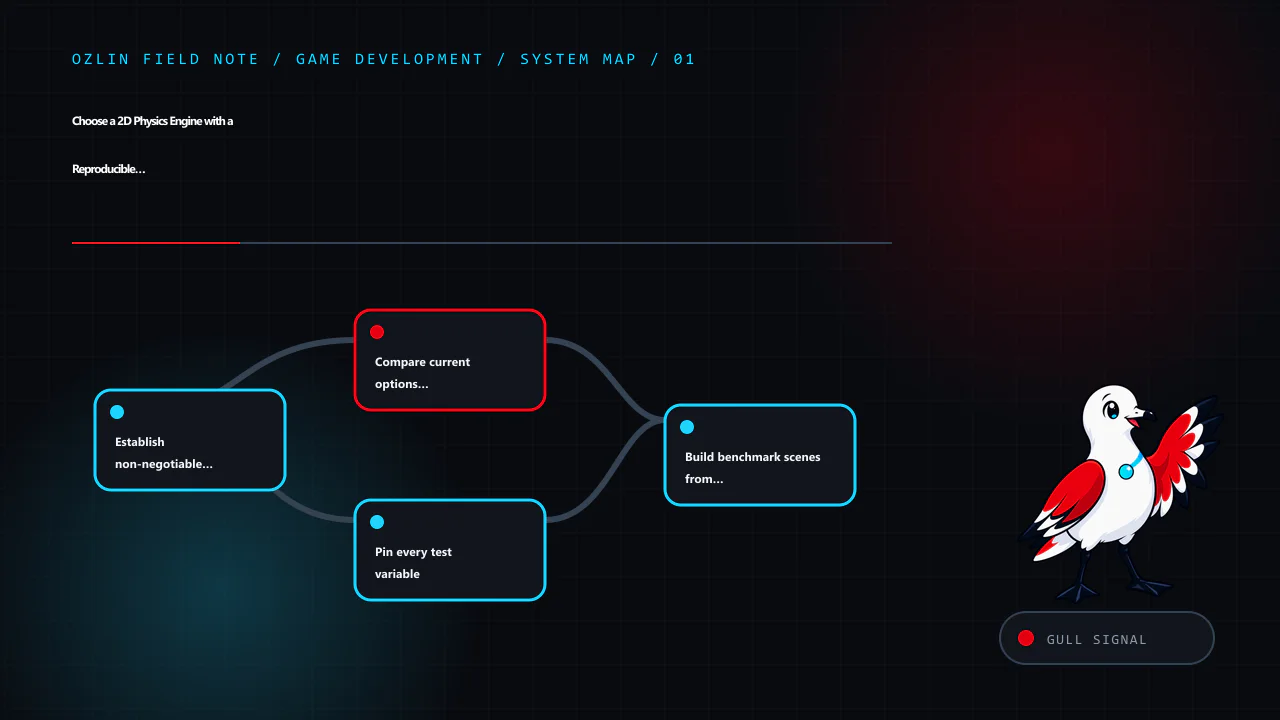
    Article map for Choose a 2D Physics Engine with a Reproducible Project Benchmark, covering Establish non-negotiable requirements, Compare current options without flattening them, Pin every test variable and related revi…
    Article map: Establish non-negotiable requirements; Compare current options without flattening them; Pin every test variable; Build benchmark scenes from the game.
    n
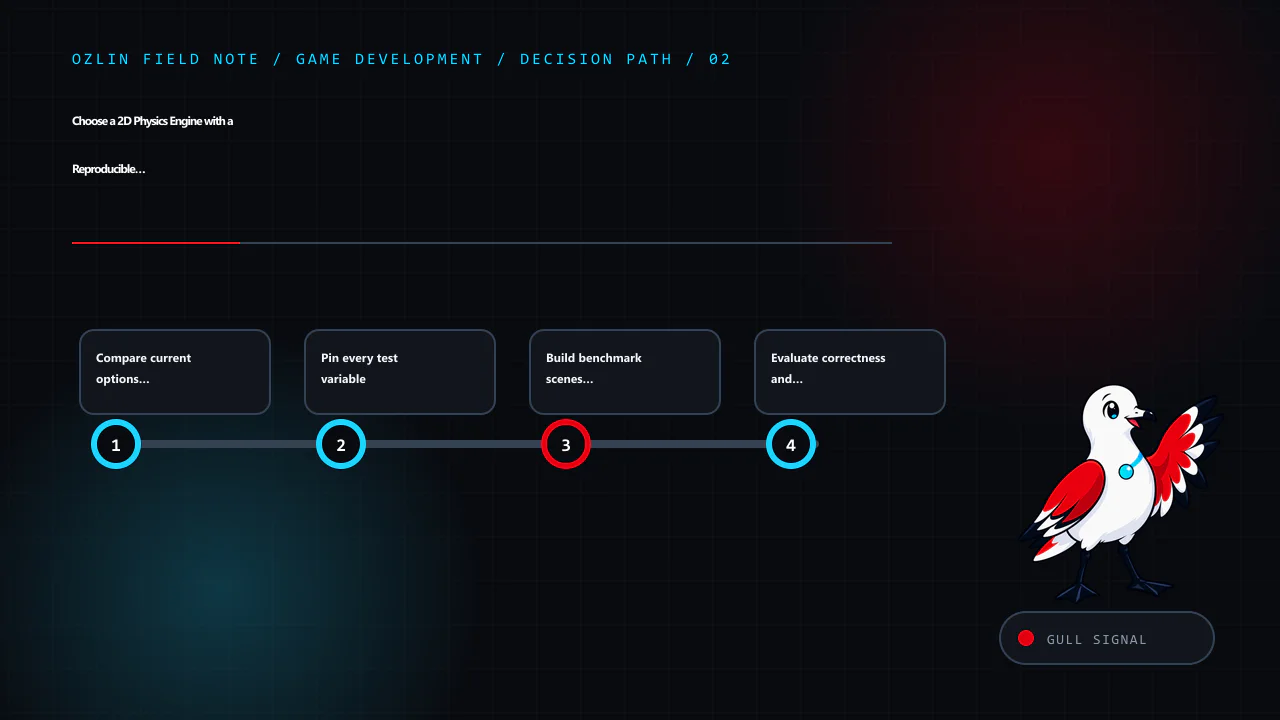
    Decision path for Choose a 2D Physics Engine with a Reproducible Project Benchmark, covering Compare current options without flattening them, Pin every test variable, Build benchmark scenes from the game and related rev…
    Decision path: Compare current options without flattening them; Pin every test variable; Build benchmark scenes from the game; Evaluate correctness and feel.
    n
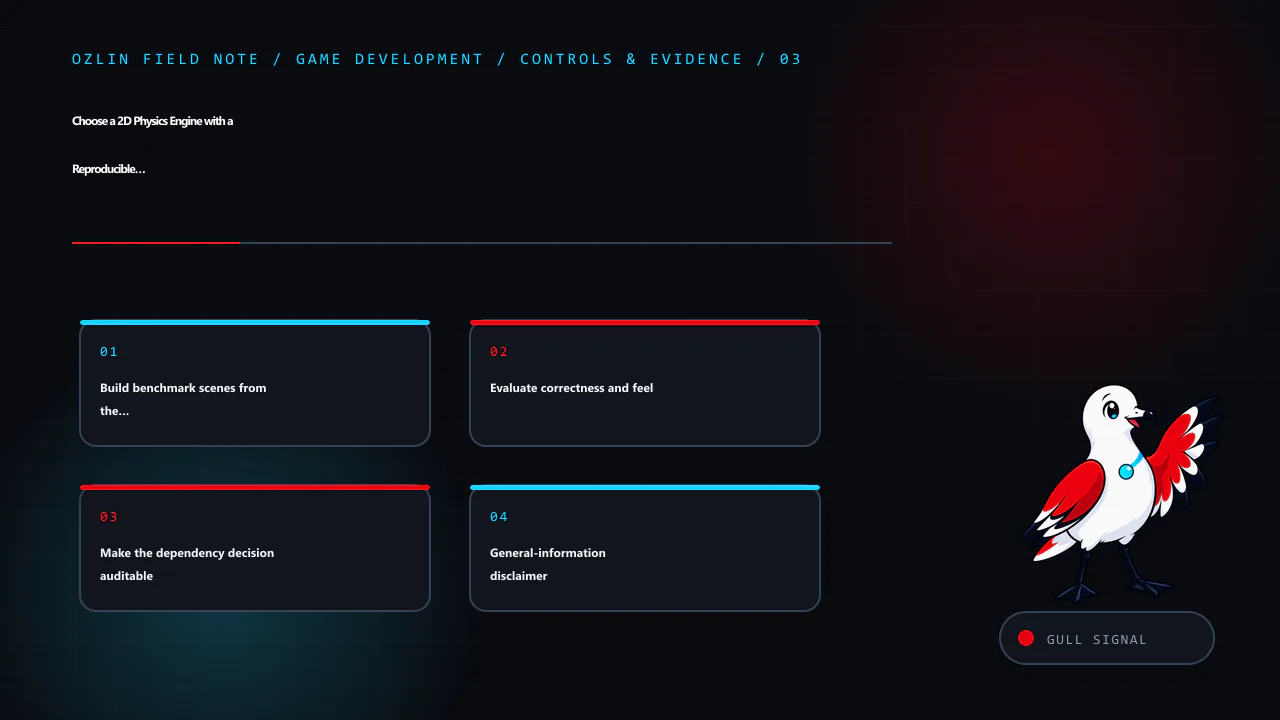
    Control and evidence map for Choose a 2D Physics Engine with a Reproducible Project Benchmark, covering Build benchmark scenes from the game, Evaluate correctness and feel, Make the dependency decision auditable and rel…
    Control and evidence map: Build benchmark scenes from the game; Evaluate correctness and feel; Make the dependency decision auditable; General-information disclaimer.
    n
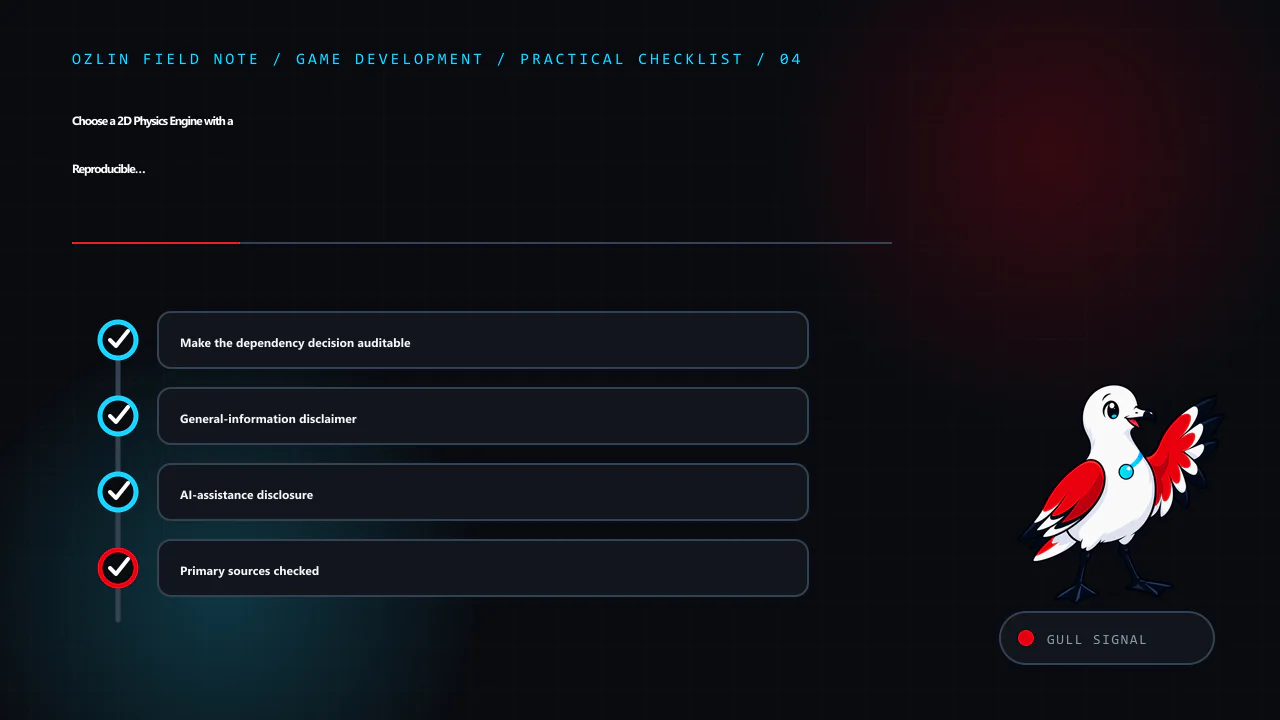
    Practical checklist for Choose a 2D Physics Engine with a Reproducible Project Benchmark, covering Make the dependency decision auditable, General-information disclaimer, AI-assistance disclosure and related review poin…
    Practical checklist: Make the dependency decision auditable; General-information disclaimer; AI-assistance disclosure; Primary sources checked.

    Limitations: Engine choice depends on mechanics, versions, bindings, licences and measured gameplay; this is not a benchmark or product endorsement.

  • Cross-Platform Unity Development: One Project, Platform-Specific Delivery

    Cross-Platform Unity Development: One Project, Platform-Specific Delivery

    Unity can share scenes, assets and gameplay code across several targets, but “one identical codebase everywhere” is not a delivery plan. Operating systems differ in input, graphics, memory, lifecycle, permissions, safe areas, storefront services, privacy and release tooling. A maintainable project shares the stable core and isolates platform-specific behaviour behind tested interfaces.

    Start by naming supported target versions and devices. Unity's system-requirements page lists editor and player requirements for a pinned Unity release, but storefront submission rules can change independently (Unity — Unity 6 system requirements). Treat the release matrix as a maintained product decision.

    Article map for Cross-Platform Unity Development: One Project, Platform-Specific Deli…, covering Pin the toolchain and dependency graph, Build a platform-services boundary, Design input and interface for each form facto…
    Article map: Pin the toolchain and dependency graph; Build a platform-services boundary; Design input and interface for each form factor; Use target-specific quality and content budgets.

    Pin the toolchain and dependency graph

    Record the exact Unity editor version, render pipeline, package lock, scripting backend, SDK, NDK, JDK, Xcode and platform modules. Commit ProjectSettings, Packages/manifest.json and Packages/packages-lock.json; exclude generated Library and build output according to the repository policy.

    Upgrade in a branch with a backup and representative build tests. A project opening successfully in a new editor is not evidence that asset bundles, platform SDKs, save data or store integrations still work.

    Keep secrets, signing keys and store credentials out of the repository. CI should receive them through an approved secret store with least privilege and auditable rotation. Do not put production service keys in StreamingAssets or a client script; a shipped client is observable by its user.

    Build a platform-services boundary

    Gameplay should request a capability rather than calling a storefront SDK throughout the project. Define narrow interfaces for services such as:

    • user identity and guest mode;
    • achievements and leaderboards;
    • purchases and entitlement restore;
    • cloud save and conflict resolution;
    • sharing, notifications and review prompts;
    • file paths and local persistence;
    • analytics, consent and crash reporting; and
    • haptics and platform overlays.

    Provide a real adapter per supported platform and a deterministic development adapter. A missing capability needs a defined result—disabled, local fallback or clear error—not a null reference. Feature detection is safer than assuming every device in one platform family behaves identically.

    Keep conditional compilation close to adapter boundaries. A forest of #if directives inside gameplay code makes test coverage and ownership unclear. Validate platform callbacks on the main thread if the SDK requires it, and make asynchronous completion cancellable across scene changes and app suspension.

    Design input and interface for each form factor

    Use gameplay actions rather than hard-coded keys. Unity's Input System is the recommended system for new Unity 6 projects; the legacy UnityEngine.Input API is documented as legacy (Unity — Input System, Unity — legacy Input API).

    Provide bindings and prompts for keyboard and mouse, gamepad and touch according to the actual targets. Support hot-plug, rebinding, dead zones and multiple users where required. Touch interfaces need target sizes, finger occlusion and gesture-conflict tests; a virtual stick copied from desktop controls may not be usable.

    Build layouts around anchors, content constraints and device safe areas rather than one fixed reference resolution. Test narrow, wide, notched, folded and resized viewports as relevant. Text scaling, localisation and right-to-left content can change layout more than aspect ratio.

    Lifecycle behaviour also differs. Define pause, audio, networking, timers, saves and background-work policies for focus loss, suspension, termination and resume. Mobile operating systems may terminate an app without a final graceful shutdown callback, so persist critical progress at safe checkpoints.

    Decision path for Cross-Platform Unity Development: One Project, Platform-Specific Deli…, covering Build a platform-services boundary, Design input and interface for each form factor, Use target-specific quality and con…
    Decision path: Build a platform-services boundary; Design input and interface for each form factor; Use target-specific quality and content budgets; Use Build Profiles as versioned delivery inputs.

    Use target-specific quality and content budgets

    One visual configuration rarely suits every GPU and thermal envelope. Create quality tiers with explicit budgets for:

    • CPU and GPU frame time;
    • resolution and dynamic-resolution policy;
    • texture, mesh, audio and runtime memory;
    • shader variants and render features;
    • lighting, shadows, post-processing and particles;
    • loading and streaming; and
    • download and patch size.

    Do not identify performance by device model string alone. Use a supported capability and quality policy with conservative defaults, then let players adjust settings where appropriate. Test thermal throttling and long sessions, not just a cold one-minute capture.

    Profile a built player. Unity documents that attaching the Profiler to a development build is the most accurate way to profile the target platform; editor profiling includes editor overhead (Unity — Profile your application). Record build hash, device, scene, quality tier and capture duration.

    Use Build Profiles as versioned delivery inputs

    Unity 6 Build Profiles store build configurations as assets. They can preserve independent scene lists, scripting defines and platform settings for development and release variants (Unity — Build Profiles).

    Create named profiles such as:

    • Android development and release;
    • iOS development and release;
    • Windows development and release; and
    • Web development and release, if supported.

    Keep signing and secrets outside the asset. Add a pre-build validation step for application identifiers, version, scenes, backend, architecture, required icons, privacy declarations and environment endpoint. Generate a manifest containing editor, package and source revisions with the artefact.

    Build automation must fail when expected output or tests are missing. A green compile does not mean a store-ready package; signing, entitlements, native SDKs, privacy manifests and upload validation are separate gates.

    Test a matrix on physical devices

    Use layers of evidence:

    Layer Examples
    Fast automated tests gameplay model, save migration, adapters and content validation
    Editor or headless integration scenes, addressable content, input maps and service fakes
    Built smoke tests boot, first-run, suspend/resume, save, settings and shutdown
    Physical-device journeys input, safe area, thermal load, permissions, network changes and purchases in sandbox
    Store validation package, signing, declarations, required SDK and review metadata

    Select a minimum supported device, representative middle tier and at least one device for each distinct graphics or input family. Emulators are useful for automation but do not establish GPU, thermal, sensor, haptic or storefront behaviour.

    Document unsupported combinations and a rollback plan. Monitor crash-free sessions, load failures, performance and service errors with consent-aware telemetry. Do not claim broad compatibility from a small lab matrix.

    For help defining a Unity delivery architecture or target-device matrix, see Ozlin Info's game-development services or contact Ozlin Info.

    Related reading: Cross-platform game input architecture.


    Control and evidence map for Cross-Platform Unity Development: One Project, Platform-Specific Deli…, covering Use target-specific quality and content budgets, Use Build Profiles as versioned delivery inputs, Test a matr…
    Control and evidence map: Use target-specific quality and content budgets; Use Build Profiles as versioned delivery inputs; Test a matrix on physical devices; General-information disclaimer.

    General-information disclaimer

    This article provides general technical information. It does not guarantee compatibility, performance, storefront acceptance or platform certification. Verify current Unity, operating-system, SDK, privacy and storefront requirements for every release.

    AI-assistance disclosure

    AI tools assisted with source discovery, outlining and copyediting. A human reviewer must build and test the pinned project on real targets and verify current platform-holder requirements before publication or release.

    Practical checklist for Cross-Platform Unity Development: One Project, Platform-Specific Deli…, covering Test a matrix on physical devices, General-information disclaimer, AI-assistance disclosure and related review poi…
    Practical checklist: Test a matrix on physical devices; General-information disclaimer; AI-assistance disclosure; Primary sources checked.

    Primary sources checked

    Source access date: 29 August 2026.

  • Unity Android Release Checklist for Google Play in 2026

    Unity Android Release Checklist for Google Play in 2026

    Reviewed: 13 September 2026 · Next review: 13 December 2026
    Author: Ozlin Info Editorial Team · Human review: Lin (accountable human); Codex assisted

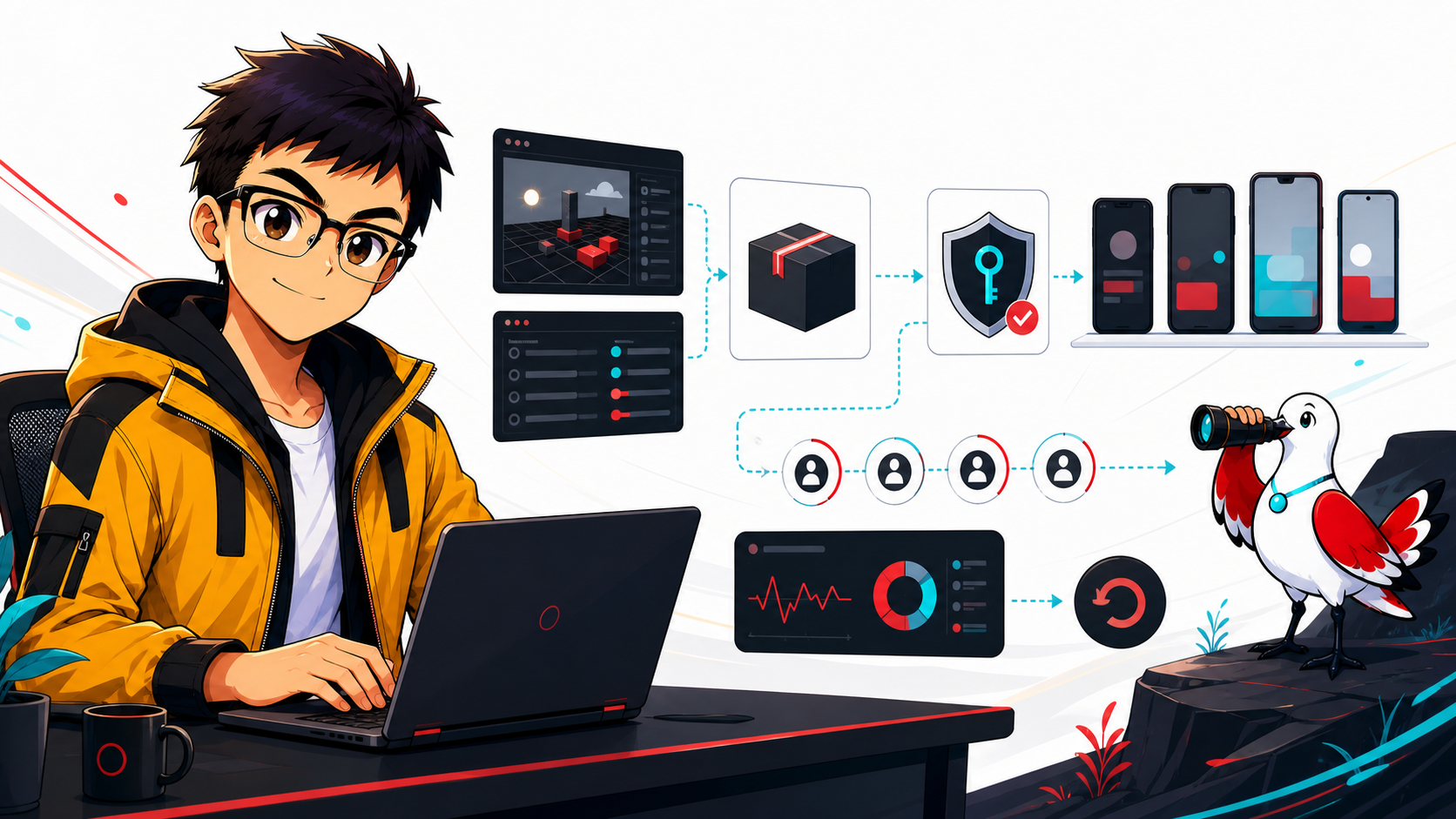
    A reliable Android release is a chain of evidence, not a final click on Build. The Unity project, Android manifest, native plug-ins, signing arrangement, Play Console declarations and device tests all need to agree. This checklist is written for Unity 6 and Google Play as reviewed on 28 August 2026; store rules and SDK support move, so re-check the linked first-party sources for every release.

    1. Choose a supported editor and freeze the release baseline

    Use a supported Unity release that can install the Android SDK, NDK and OpenJDK versions needed by the project and current Play requirement. Record the exact Unity editor version, package-lock file, Android toolchain versions, build profile and source commit. Make a clean release build in continuous integration or on a controlled build machine rather than relying on an unrecorded local setup.

    In Unity 6, Android builds are configured through File → Build Profiles. Unity's manual describes Android build profiles and the ability either to build directly or export a Gradle project for Android Studio (Unity: build Android applications). Export only when a plug-in, manifest or native integration genuinely needs that control; every custom Gradle or manifest override becomes release surface that must be reviewed after upgrades.

    2. Separate the package identity, minimum SDK and target SDK

    Set the application identifier deliberately, normally in reverse-domain form such as info.ozlin.gamename. Confirm ownership and naming before the first production release because updates must retain the same package identity and signing relationship.

    Do not confuse these two settings:

    • Minimum API level controls which Android versions can install the game. Choose it from Unity support, plug-in requirements and the devices you intend to support—not from an old generic recommendation. Unity 6.0's published player requirements start at Android 6.0/API 23, but the specific Unity patch and packages in the project remain authoritative (Unity 6 system requirements).
    • Target API level tells Android which platform behaviour set the app targets and is governed by Google Play submission policy.

    Google states that starting 31 August 2026, new apps and app updates must target Android 16/API level 36 or higher. The listed exceptions use different levels for Wear OS, Android Automotive OS, Android TV and Android XR. Existing phone/tablet apps must target API 35 or higher to remain available to new users on devices running a newer Android version (Google Play target API requirements). Because this draft was reviewed three days before that deadline, a release being prepared now should target API 36 and test Android 16 behaviour changes rather than plan around last year's threshold.

    After raising the target, test permission requests, background work, notifications, edge-to-edge layout, storage access and every Android plug-in. A successful compile does not demonstrate correct runtime behaviour.

    3. Configure the release player intentionally

    Review Player Settings and the active build profile together:

    • increment versionCode for every uploaded build and set a user-facing version string;
    • use IL2CPP when required by the selected architecture and release plan;
    • include ARM64 for Google Play device coverage and verify every native .so plug-in supplies a compatible binary;
    • remove development-only permissions, test endpoints and debug certificates;
    • use HTTPS for network traffic unless a documented exception is essential; and
    • review graphics APIs, texture formats, orientation, cut-outs and memory behaviour against the actual device matrix.

    Unity's Android Player Settings reference confirms that ARM64 is a target architecture available with the IL2CPP scripting backend and exposes minimum/target API, keystore and architecture settings (Unity: Android Player Settings). Do not enable GPU skinning, Vulkan, ASTC or an “adaptive performance” package as blanket checklist items. Each can be valuable for a suitable game and device set, but each needs compatibility and performance evidence.

    4. Build the artifact Google Play expects

    For Google Play, create an Android App Bundle (.aab). Unity 6 exposes Build App Bundle (Google Play) in the Android build profile; its documentation distinguishes this from the default APK output and explains the corresponding option when exporting a Gradle project (Unity: Android build settings). Google Play uses an uploaded bundle to generate device-optimised APKs (Play Console: create and set up an app).

    Use APKs for direct device testing when appropriate, but do not enable “Split APKs by target architecture” as an AAB size optimisation. Unity documents that its per-architecture APK setting is ignored when building an app bundle. For a large game, review Play's current compressed-download limits and assess Play Asset Delivery rather than discovering an artifact-size problem during submission.

    Generate native debug symbols for the IL2CPP release in the form expected by Play Console, store the mapping/symbol artifacts with the build, and confirm crash reporting can resolve the test build before launch.

    5. Treat signing as an operational system

    The old warning that losing one local keystore always makes future Play updates impossible is too broad. With Play App Signing, Google protects the app-signing key, while the developer uses an upload key to authenticate uploaded bundles. Google recommends separating those keys and documents a reset path for a lost or compromised upload key (Google Play: Play App Signing).

    Protect the upload keystore and password in approved secret storage; restrict Play Console roles; require multi-factor authentication; record certificate fingerprints needed by APIs; and document key recovery and release authority. Never commit a keystore or password to the Unity repository. Confirm a release is signed with the expected upload certificate before submission.

    6. Test what users will receive

    Test a release candidate on representative low-, mid- and high-tier physical devices, including the oldest supported Android version and Android 16. Cover first install, upgrade from the live version, offline start, save migration, sign-in, purchases, notification permission, background/resume, low storage, interrupted downloads and account deletion where applicable.

    Profile on the target device. Unity's guidance describes connecting the Unity Profiler to an Android player and collecting data from the running build (Unity: profile a target device). Record frame-time distributions, memory peaks, thermal behaviour, loading time and crash/ANR signals for the devices that define acceptance; an editor frame rate is not mobile evidence.

    Upload the signed AAB to internal testing first. Google recommends an internal test before wider tracks and supports up to 100 internal testers (Play Console testing tracks). Use the app-bundle explorer or internal app sharing to test generated, device-specific delivery rather than only a locally installed APK.

    7. Complete policy and launch evidence

    Finish the store listing, content rating, target-audience declarations, ads and monetisation disclosures, privacy policy, app-access instructions and the Data safety form. Google requires published apps—including closed, open and production tracks—to declare their collection and handling of user data; an internal-only test is the stated exception (Google Play Data safety). Inventory SDK behaviour rather than copying a declaration from a previous version.

    Keep a release record containing the commit, Unity version, signed artifact hash, version code, symbols, test results, known issues, policy answers, approval and rollback decision. Stage the rollout, watch crashes and ANRs, and define who can halt it. Store approval is a distribution decision, not proof that a game is defect-free, secure or suitable for every device.

    Related reading

    Limitations: This checklist is version- and project-dependent. Unity, Android and Play requirements, packages, signing, device behaviour and deadlines can change; it is not release approval or a guarantee of compatibility or compliance.

    AI-assistance disclosure

    AI tools assisted with outlining and copy editing. A human editor checked this draft on 28 August 2026 against the linked Unity 6 documentation and current Google Play requirements, including the API 36 deadline. Rules can change after review; the release owner must re-check official documentation and the project's actual dependencies before submission.

    Source access date: 2026-08-28

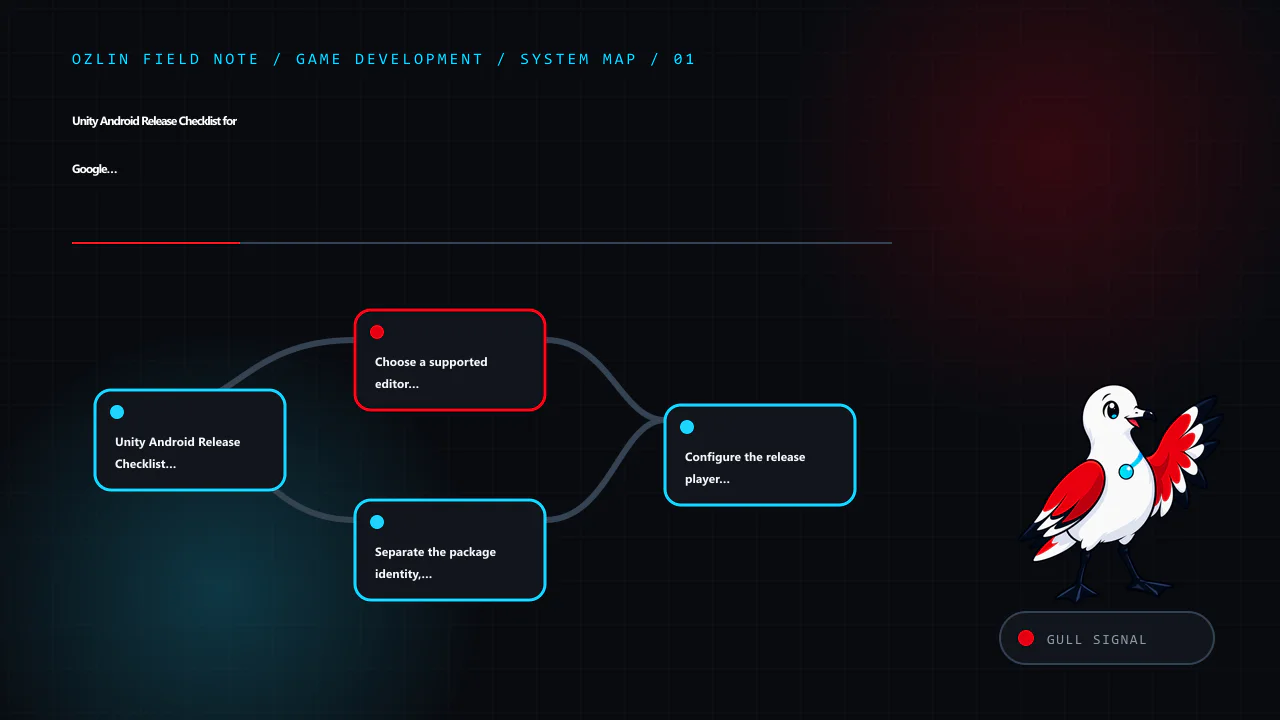
    Article map for Unity Android Release Checklist for Google Play in 2026, covering Unity Android Release Checklist for Google Play in 2026, Choose a supported editor and freeze the release baseline, Separate the package…
    Article map: Unity Android Release Checklist for Google Play in 2026; Choose a supported editor and freeze the release baseline; Separate the package identity, minimum SDK and target SDK; Configure the release player intentionally.
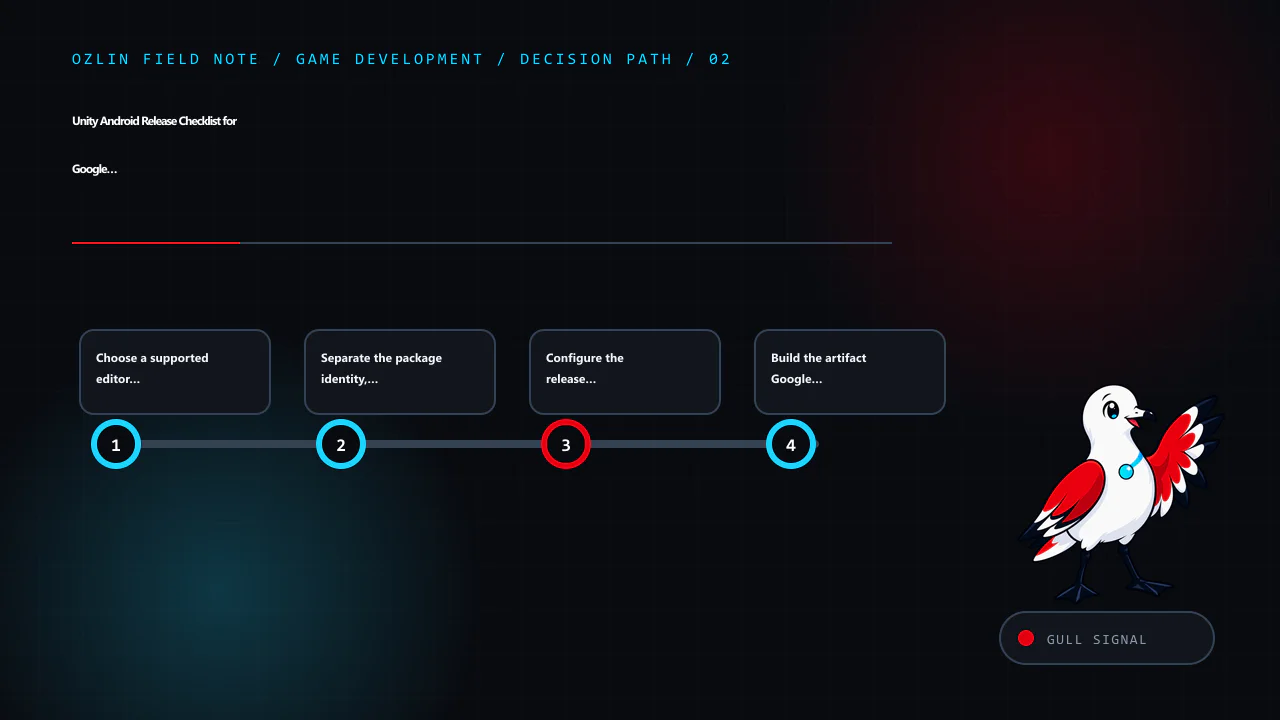
    Decision path for Unity Android Release Checklist for Google Play in 2026, covering Choose a supported editor and freeze the release baseline, Separate the package identity, minimum SDK and target SDK, Configure the rel…
    Decision path: Choose a supported editor and freeze the release baseline; Separate the package identity, minimum SDK and target SDK; Configure the release player intentionally; Build the artifact Google Play expects.
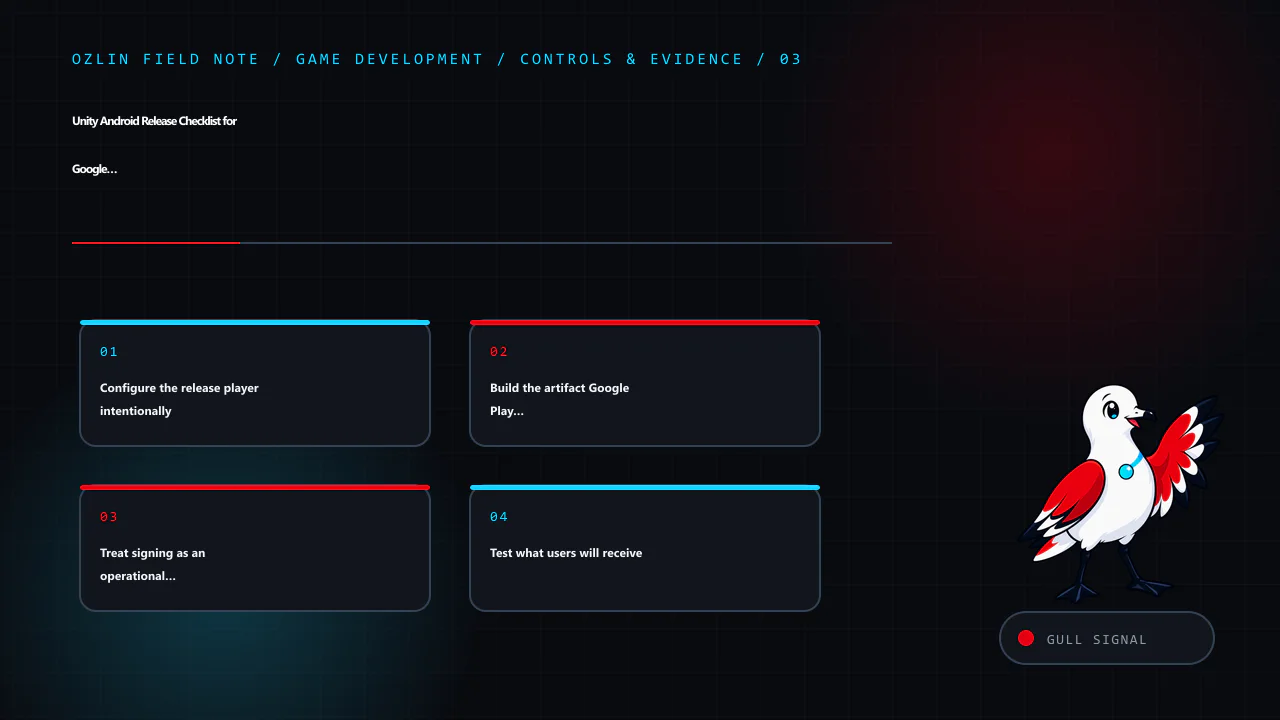
    Control and evidence map for Unity Android Release Checklist for Google Play in 2026, covering Configure the release player intentionally, Build the artifact Google Play expects, Treat signing as an operational system a…
    Control and evidence map: Configure the release player intentionally; Build the artifact Google Play expects; Treat signing as an operational system; Test what users will receive.
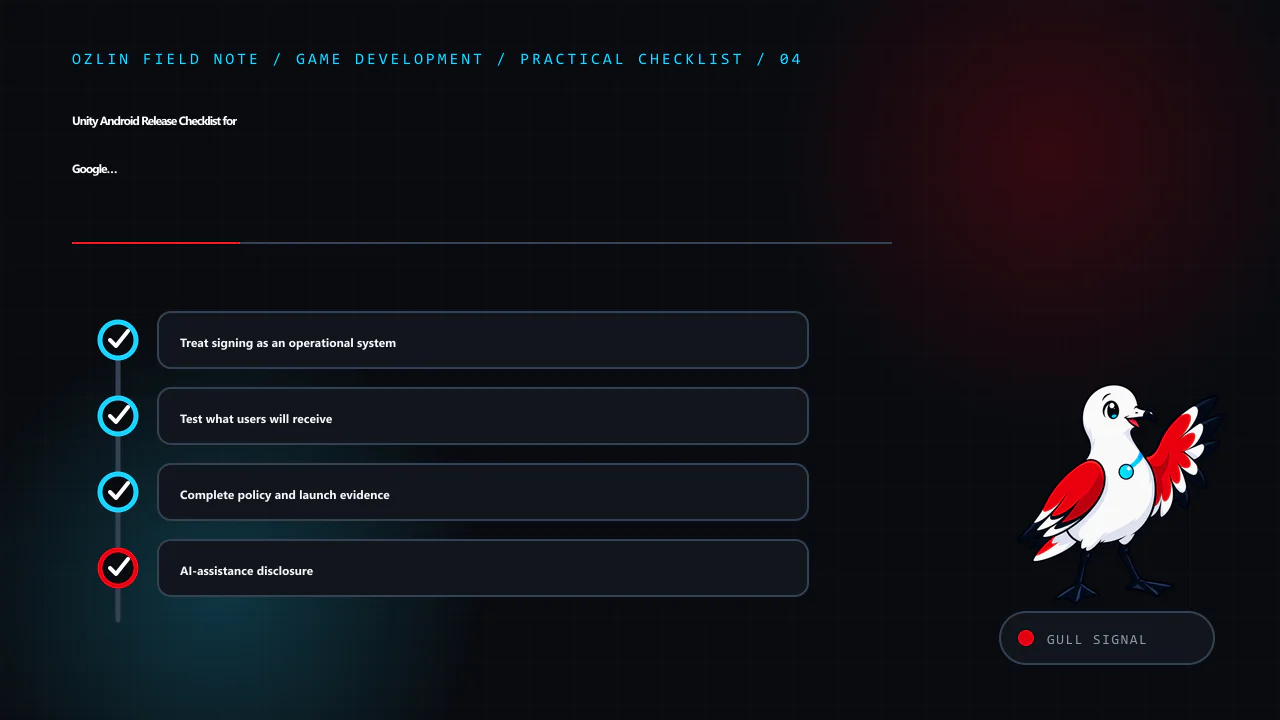
    Practical checklist for Unity Android Release Checklist for Google Play in 2026, covering Treat signing as an operational system, Test what users will receive, Complete policy and launch evidence and related review poin…
    Practical checklist: Treat signing as an operational system; Test what users will receive; Complete policy and launch evidence; AI-assistance disclosure.
  • Your First Unity 6 2D Game in Seven Testable Steps

    Your First Unity 6 2D Game in Seven Testable Steps

    Reviewed: 13 September 2026 · Next review: 13 December 2026
    Author: Ozlin Info Editorial Team · Human review: Lin (accountable human); Codex assisted

    Reviewed: 29 August 2026 · Next review: 28 February 2027
    Author: Ozlin Info Editorial Team · Human review: Lin

    A useful first game is small enough to finish and structured enough to test. This guide builds one scene in which a player moves a square to a goal, shows a success message and can be built for a selected target. It uses a pinned Unity 6 editor, the current Input System and Rigidbody2D.linearVelocity rather than the legacy Input.GetAxis workflow.

    The example is educational. Run it in a new project or branch, record exact versions and inspect every imported asset and package before using it in production.

    1. Pin the project and define “done”

    Install a supported Unity 6 LTS editor through Unity Hub with the module for the first target platform. Record the full editor version. Create a 2D project and initialise source control before adding assets.

    Commit Assets, Packages and ProjectSettings. Exclude generated Library, Temp, Logs, obj and local build directories using an appropriate Unity ignore file. Do not commit signing keys, service credentials or generated store packages.

    Write a tiny acceptance test:

    • the game opens directly into one scene;
    • WASD, arrow keys or a gamepad stick moves the player;
    • the player cannot pass through the border;
    • reaching the goal displays a success panel;
    • Escape or a visible control can exit or return according to platform; and
    • a built player runs on the selected target device.

    This boundary prevents a first project from expanding into inventory, networking and procedural worlds before its basic loop works.

    2. Build the scene with licensed placeholders

    Create and save Assets/Scenes/Main.unity. Add a camera with an orthographic projection. Use simple coloured sprites created in the editor or original files for the player, border and goal. Record the source and licence of anything downloaded; “free” does not define reuse or redistribution rights.

    Create sorting layers for background, world and interface if needed. Use consistent world units. Add four static border objects with BoxCollider2D, and give the player:

    • SpriteRenderer;
    • Rigidbody2D with gravity scale set to zero for this top-down example; and
    • BoxCollider2D or another shape matching the visual body.

    Do not resize a collider accidentally through a deeply scaled parent. Turn on collision gizmos and check the actual shape. Place the goal with a BoxCollider2D marked as a trigger.

    3. Create action-based input

    Unity documents the Input System as the extensible alternative recommended for new projects, while the old UnityEngine.Input API is legacy (Unity — Input System, Unity — legacy Input API).

    Install or confirm the released Input System package compatible with the pinned editor. Create Assets/Input/GameInput.inputactions with an action map named Player and a Move action:

    • action type: Value;
    • control type: Vector2;
    • a 2D Vector composite for WASD;
    • a second 2D Vector composite for arrow keys; and
    • a gamepad left-stick binding.

    Save the asset. The package can bind multiple devices to one action and supports later rebinding through overrides (Unity — Input bindings). Input handling belongs to gameplay actions rather than keyboard-specific code.

    4. Move the player through Rigidbody2D

    Create Assets/Scripts/TopDownMover.cs:

    using UnityEngine;
    using UnityEngine.InputSystem;
    
    [RequireComponent(typeof(Rigidbody2D))]
    public sealed class TopDownMover : MonoBehaviour
    {
        [SerializeField] private InputActionReference moveAction;
        [SerializeField, Min(0f)] private float speed = 5f;
    
        private Rigidbody2D body;
    
        private void Awake()
        {
            body = GetComponent<Rigidbody2D>();
        }
    
        private void OnEnable()
        {
            moveAction.action.Enable();
        }
    
        private void OnDisable()
        {
            moveAction.action.Disable();
            if (body != null)
            {
                body.linearVelocity = Vector2.zero;
            }
        }
    
        private void FixedUpdate()
        {
            Vector2 input = moveAction.action.ReadValue<Vector2>();
            if (input.sqrMagnitude > 1f)
            {
                input.Normalize();
            }
    
            body.linearVelocity = input * speed;
        }
    }

    Attach it to the player and assign the Move action reference. Unity 6's current Rigidbody2D API exposes linearVelocity as the linear velocity vector (Unity — Rigidbody2D.linearVelocity). Pinning the editor matters because older tutorials and versions use different API names.

    The script reads intent and applies velocity during the physics step. Normalising values above magnitude one prevents diagonal keyboard input from exceeding the configured speed. A platformer would need gravity, grounded checks, jump rules and a different controller; do not reuse this top-down movement unchanged.

    5. Add one goal and explicit game state

    Create a GoalZone component that raises one success event the first time the player enters. Keep outcome logic outside the movement script. A small GameFlow component can own Playing and Completed states, disable player input on completion and open a success panel.

    Validate the collider belongs to the player using a component or layer, not an object name. Guard repeated trigger callbacks so the score or success transition is idempotent. If the scene reloads, the new flow owner should start from a deliberate state.

    Add a reset control through an input action or accessible interface button. Do not require a mouse if gamepad is supported. Avoid relying only on colour or sound to communicate success.

    6. Add readable interface, audio and tests

    Create a Canvas with brief controls and a hidden success panel. Anchor elements so they survive several aspect ratios and safe areas. Use readable contrast and a logical navigation order. If a sound confirms success, keep the visible message as an alternative.

    Test the acceptance list in Play Mode, then add automated checks where useful:

    • an Edit Mode test for movement-vector normalisation;
    • a Play Mode test that the border blocks the body;
    • a Play Mode test that entering the goal completes once; and
    • a content check that the build scene is present.

    Try keyboard and a physical gamepad, unplug the gamepad, resize the window, lose and regain focus, and reload the scene. Watch the Console for exceptions and warnings. A tutorial that “looks right” but emits an error every frame is not complete.

    7. Create a Build Profile and run the player

    Open File → Build Profiles. Unity 6 Build Profiles let a project store multiple configurations and their scene lists as assets (Unity — Build Profiles). Create a development profile for the first target, add Main.unity, select the correct platform module and build to a clean local output directory.

    Run the built player and repeat the acceptance test. The editor does not reproduce every resolution, file path, input, graphics or lifecycle behaviour. For mobile, install on a physical device and check touch design, safe areas, suspend/resume, performance and package identity. Store submission additionally requires current signing, SDK, privacy and listing work; a local build is not store approval.

    Record the build date, source revision, editor and package versions and test device. Make a source-control tag when the seven-step sample passes. You now have a finished, reproducible base that can accept one new feature at a time.

    For a scoped software build or review, see Ozlin Info's secure web and software delivery service; related first-party game-engineering context is in the Projects archive, or contact Ozlin Info.

    Related reading: Cross-platform Unity architecture and delivery.


    General-information disclaimer

    This article provides an educational example, not a supported Unity package, storefront approval or production controller. Verify the pinned editor, packages, licences, platform requirements and tests for the actual project.

    AI-assistance disclosure

    AI tools assisted with source discovery, example drafting and copyediting. A human reviewer must create the project, compile the script, run the tests and verify current Unity and target-platform behaviour before publication or use.

    Primary sources checked

    Source access date: 29 August 2026.

    nn
    Article map for Your First Unity 6 2D Game in Seven Testable Steps, covering Pin the project and define “done”, Build the scene with licensed placeholders, Create action-based input and related review points.
    Article map: Pin the project and define “done”; Build the scene with licensed placeholders; Create action-based input; Move the player through Rigidbody2D.
    n
    Decision path for Your First Unity 6 2D Game in Seven Testable Steps, covering Create action-based input, Move the player through Rigidbody2D, Add one goal and explicit game state and related review points.
    Decision path: Create action-based input; Move the player through Rigidbody2D; Add one goal and explicit game state; Add readable interface, audio and tests.
    n
    Control and evidence map for Your First Unity 6 2D Game in Seven Testable Steps, covering Add one goal and explicit game state, Add readable interface, audio and tests, Create a Build Profile and run the player and rela…
    Control and evidence map: Add one goal and explicit game state; Add readable interface, audio and tests; Create a Build Profile and run the player; General-information disclaimer.
    n
    Practical checklist for Your First Unity 6 2D Game in Seven Testable Steps, covering Create a Build Profile and run the player, General-information disclaimer, AI-assistance disclosure and related review points.
    Practical checklist: Create a Build Profile and run the player; General-information disclaimer; AI-assistance disclosure; Primary sources checked.

    Limitations: This tutorial is an educational starting point; Unity, package, platform, signing and device behaviour must be tested with the actual project.