
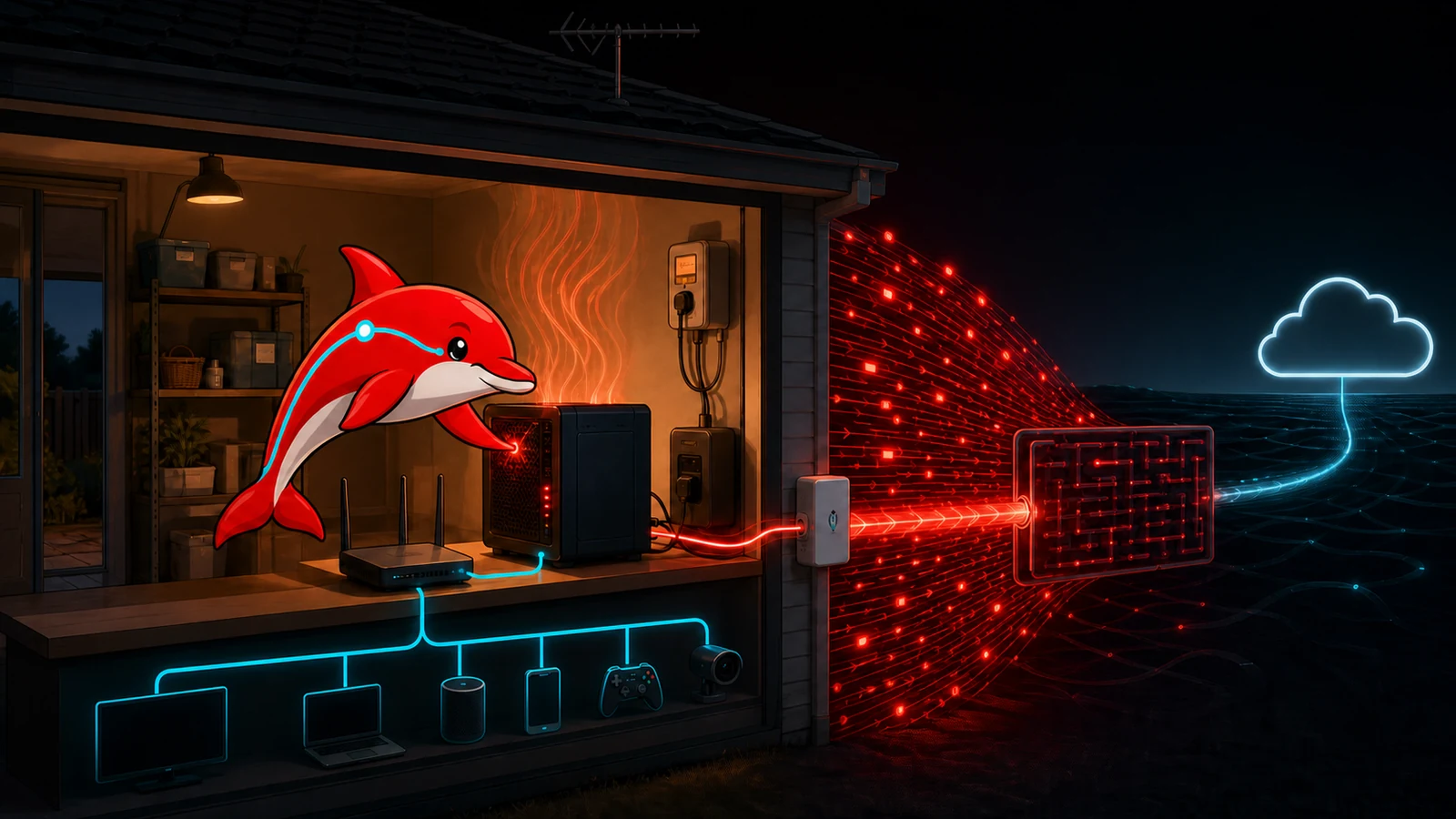
Running a server at home is excellent for learning. A small lab can teach Linux, containers, backups, monitoring and networking for less than a formal course. That does not automatically make a residential connection a sensible production platform for a public website, game service, file host or customer application.
The problem is not that home hosting never works. It is that one inexpensive-looking computer inherits the limits of the house around it: consumer broadband, one power feed, domestic cooling, a shared router, changing addresses, household devices and an operator who also needs to sleep. A cloud VPS can fail too, but its network, power and replacement model are designed around hosted services. The honest comparison is total service risk, not “hardware already owned versus a monthly invoice.”
This guide focuses on Australian residential broadband and uses public information checked on 29 August 2026. ISP addressing, plan speeds, acceptable-use rules and electricity prices change, so verify the current terms for the actual address before relying on any example.
The few cases where a residential connection may be justified
A home server can be reasonable when it is a non-critical lab, a private service reached through an authenticated overlay network, a local media or backup appliance, or a short-lived test with no customer dependency. It can also be useful for testing how a legitimate consumer service behaves from an ordinary residential network.
Some streaming or registration platforms distinguish residential from data-centre addresses to manage licensing, fraud and abuse. That can create a genuine testing requirement, but it is not permission to evade geolocation, account, automation or anti-abuse rules. A public streaming site does not inherently need a residential IP. Check the platform contract, content rights and ISP acceptable-use policy; do not sell access to a household connection as a “clean residential proxy” or use it to disguise automated registrations.
If the requirement is simply “customers must reach a reliable website,” residential identity is normally a disadvantage rather than a feature. Start with the Australia and New Zealand hosting guide and compare a VPS, dedicated server or colocation service first.
Public IPv4 may not exist at your router
Traditional port forwarding assumes the router owns a public IPv4 address. Many residential services instead use carrier-grade NAT, or CGNAT, where multiple subscribers share public IPv4 addresses and the ISP performs another translation outside the home. RFC 6598 defines a dedicated shared-address range for this purpose.
Current Australian examples show why the ISP must be checked rather than assumed. Aussie Broadband says CGNAT is typically enabled by default and documents opt-out or static-IP paths. Superloop's residential Critical Information Summary dated 31 May 2025 says CGNAT is used where available, documents an opt-out path and lists one static IPv4 option at A$5 per month including GST. Those are provider-specific snapshots, not a promise that every ISP, access technology or future plan offers the same remedy; obtain the current CIS for the plan being purchased.
Compare the router's WAN address with the address reported by an external service. A WAN address in private or shared space, or a different upstream address, suggests another NAT layer. Do not expose an administration page merely to test it.
Dynamic DNS is not CGNAT traversal. DDNS updates an A or AAAA record when a routable address changes. Cloudflare's documentation describes monitoring the address and updating the DNS record through an API or client. If unsolicited packets cannot reach the subscriber through CGNAT, pointing a hostname at the shared address does not create a forwarding rule in the ISP's network.
IPv6 can provide globally routable addresses without IPv4 NAT, but it does not remove the need for a stateful firewall. Confirm prefix stability, inbound filtering, client IPv6 support and a safe update process for dynamic AAAA records. Opening IPv6 while testing only IPv4 rules is a common way to create an unreviewed second exposure path.
Tunnels, mesh VPNs and relays solve different problems
An overlay product such as Radmin VPN or another mesh VPN can be useful for private access between enrolled devices. NAT traversal may establish a direct encrypted path; when that fails, a relay can add latency, throughput limits and an external dependency. This is suitable for administration or a small trusted group, not automatically for an anonymous public service.
A reverse tunnel initiates an outbound connection from home to an edge provider. Cloudflare Tunnel, for example, documents outbound-only origin connections without opening an inbound router port. That reduces origin exposure and works behind CGNAT, but the connector, account, DNS, access policy and edge provider become part of the service. The origin still needs patches, least privilege and authentication. Protocol support and source-IP behaviour must be verified for the application.
A VPS can also act as a WireGuard, TCP or application relay. Now both the home system and VPS must be patched, monitored and backed up; bandwidth crosses two links; client addresses may need explicit forwarding; and the relay bill may approach the price of hosting the workload there. Draw the complete data path before declaring tunnelling “free.”
Residential upload is the scarce direction
Headline broadband speed usually emphasises download. A public server primarily sends data upstream. Concurrent game updates, video, backups and household video calls can contend for the same queue, increasing latency and packet loss before a monthly transfer total looks unusual.
Measure wired sustained upload, p95 latency under load, jitter and packet loss at busy times. Test with the real application, not one speed-test burst. A 50 Mbps upstream cannot deliver 50 Mbps of dependable application traffic after protocol overhead, contention and the headroom needed by the household. Traffic shaping can improve fairness but cannot create upstream capacity.
Ozlin has observed one 64-player CS2 zombie-escape environment peak around 150 Mbps outbound under its particular map and plugin mix. That does not define all game servers, but it demonstrates why a residential uplink can fail on instantaneous demand even when average monthly traffic seems manageable. The Australian game-server sizing guide explains how to measure this rather than size from slot count alone.
A DDoS attack can take the household offline
A local firewall can discard packets after they arrive. It cannot restore a residential access link whose upstream capacity has already been consumed. A volumetric attack against the public address may therefore disrupt work, calls, entertainment, cameras and every other household service—not just the intended server. Changing a dynamic IP may provide temporary relief, but DNS history, game listings or another direct protocol can reveal it again.
ASD's denial-of-service guidance recommends planning with upstream providers, resilient capacity, monitoring, CDNs and cloud-based mitigation before an incident. A CDN can help an HTTP service when the origin address is concealed and origin firewall rules accept only authorised edge traffic. It does not automatically protect arbitrary UDP, game, voice, mail or remote-administration protocols, and a DNS-only record can reveal the same origin address.
Ask the ISP what happens under attack: whether it offers mitigation, rate-limits or null-routes the address, how long recovery takes, and whether abuse traffic affects the account. If availability matters, this conversation should occur before publication.
A consumer “DMZ host” is not network segmentation
On many home routers, the setting labelled DMZ host or exposed host forwards essentially all otherwise-unmapped inbound TCP and UDP traffic to one internal device. TP-Link's current explanation explicitly distinguishes this from a true DMZ. It should not be used as a shortcut when the operator is unsure which ports are required.
Even precise port forwarding increases attack surface. If the public server shares a flat LAN with laptops, phones, network storage, printers, smart TVs, cameras and home-automation devices, compromise can create a foothold behind the router. It does not make every device instantly public, but it places an attacker on a network that was probably designed for convenience and discovery rather than hostile east-west traffic.
Use a real isolated VLAN or physical segment with default-deny rules between the server, management devices and household/IoT networks. Disable UPnP when automatic inbound mappings are unnecessary. Expose only the required service ports, keep router administration private, use a host firewall and supported software, and never install cracked or nulled panels, plugins or server packages. Unknown privileged code can convert the home server—and sometimes vulnerable routers or IoT devices—into part of someone else's botnet.
Electricity, heat and cooling are recurring costs
An average load runs for 8,760 hours each year:
annual kWh = average watts ÷ 1,000 × 8,760
The AER's 2026–27 residential Default Market Offer flat usage caps for the three NSW distribution areas are 33.14–35.01 cents per kWh, including GST. They are safety-net tariff caps, not a prediction of any reader's bill; market offers, solar, time-of-use periods and location change the result.
| Average continuous load | Annual energy | Illustrative NSW electricity cost | Excluded costs |
|---|---|---|---|
| 30 W mini PC | 262.8 kWh | A$87–A$92/year | storage, UPS losses, cooling and broadband |
| 100 W compact server | 876 kWh | A$290–A$307/year | same exclusions |
| 300 W rack server | 2,628 kWh | A$871–A$920/year | same exclusions |
| 500 W server/GPU system | 4,380 kWh | A$1,452–A$1,533/year | same exclusions |
Almost all consumed electricity becomes heat in the room. A garage or cupboard that is acceptable in winter may throttle disks, batteries and CPUs during a Sydney summer. Domestic air conditioning adds energy and another failure dependency. Measure inlet temperature, humidity, fan noise and power at the wall across seasons. Do not defeat server fan controls or electrical protections to make retired rack hardware tolerable beside a bedroom.
Use this TCO rather than “the machine was free”:
hardware + UPS + incremental electricity + cooling + public-IP/tunnel fees + replacement parts + off-site backup + administration and outage cost − residual value
Power, maintenance and recovery still need an owner
NBN states that mains-powered equipment connected to its network will not work during a power outage unless each required item has suitable backup. A UPS must cover the server, storage, router, access equipment and any tunnel dependency at the premises; runtime decreases as batteries age. It should trigger an orderly shutdown, not merely delay an uncontrolled one.
Residential plans may not include business repair targets, proactive monitoring, redundant carriers or a service-level agreement. Firmware updates can reboot the router, a family member can unplug equipment, and a failed disk may wait until the operator returns home. Backups stored beside the server share theft, fire, flood and electrical risk. Maintain encrypted off-site backups and test restoration to different hardware.
Operational minimums include patch windows, service and certificate monitoring, central logs, configuration backup, spare storage, a documented rebuild, remote access that does not expose management ports, and an out-of-band way to learn that the house is offline.
If you still need a home-hosted service
Proceed only when the consequence of failure is acceptable and the residential location is genuinely required. A defensible starting architecture is:
- confirm the ISP contract, public IPv4/IPv6 behaviour, static-address cost, upload capacity and abuse response;
- place the server on an isolated network with default-deny access to household and IoT devices;
- prefer an authenticated private overlay for administration and private services;
- for public HTTP, use an outbound tunnel or protected reverse proxy, hide and restrict the origin, and expose no router or server management UI;
- run supported software as a non-root service identity, minimise plugins, enable MFA where available and rotate scoped credentials;
- deploy UPS-backed graceful shutdown, temperature and availability alerts, rate limits and tested off-site recovery; and
- document a migration trigger—traffic, uptime, security, temperature or support load—at which the service moves to hosted infrastructure.
For most public services, the cleaner design is a small VPS or protected dedicated server, with the home lab used for development and backups that do not contain the only copy. Colocation becomes attractive when owned hardware, power density and remote hands matter. Ozlin's infrastructure and hosting services can help compare the full path without publishing private network details.
Home hosting is valuable as a laboratory. It becomes a poor bargain when customer availability, household safety or an irreplaceable residential connection is placed behind the same inexpensive router.
Sources and review record
Sources and prices were accessed on 29 August 2026. ISP addressing, tunnel behaviour and electricity figures are scheduled for review by 29 November 2026.
- Aussie Broadband — port forwarding and CGNAT
- Superloop — residential NBN Critical Information Summary, 31 May 2025
- IETF RFC 6598 — shared address space for CGNAT
- IETF RFC 6092 — residential IPv6 gateway filtering
- Cloudflare — dynamically update DNS records
- Cloudflare — Tunnel overview
- Tailscale — how NAT traversal works
- ASD — preparing for and responding to denial-of-service attacks
- ASD — security considerations for edge devices
- TP-Link — what a consumer-router DMZ host does
- AER — 2026–27 Default Market Offer
- NBN — what happens in a power blackout
AI assisted with source discovery, drafting and copyediting; Ozlin Info remains responsible for publication.